Cloud POS for Retail: Why Offline-First Checkout Beats Traditional Tills
A practical guide to choosing a cloud POS system for retail and restaurants: offline mode, checkout speed, inventory sync, receipts, hardware and total cost.
By Asad Mukhtar · · 7 min read
Key takeaways
- A cloud POS should keep selling when the internet drops, then sync on its own.
- Checkout speed is measured per scan; small delays add up to long queues.
- One live stock count across shops and your online store prevents overselling.
- Compare the total cost over three years, not just the monthly fee.
What a cloud POS system actually is
A point-of-sale (POS) system is everything that happens when a customer pays: scanning or tapping the product, applying discounts, taking the payment, printing or sending the receipt and updating stock. For decades this lived in a box under the counter. The software was installed on one machine, the data stayed in the shop, and the owner had to be in the shop to see what was sold.
A cloud POS keeps the same job at the counter but stores the business data online. Sales, products, prices, staff and stock are shared between every till, every branch and the owner's phone. You change a price once, and it is correct everywhere. You open a report at home, and it shows the sale that happened a minute ago.
That sounds simple, but the way a cloud POS is built decides whether it helps or hurts on a busy Saturday. The rest of this guide explains what to look for, in plain language, so you can compare systems with confidence.
Why traditional tills struggle in busy shops
Most complaints about old tills come down to three things: speed, isolation and upkeep.
Speed. Older systems often run on slow hardware and grow slower as their local database fills with years of sales. A scan that takes two or three seconds seems small, but a customer with twenty items waits a full minute longer than needed, and everyone behind them waits too.
Isolation. Each shop has its own data. Stock is counted separately, prices are updated by hand in every location and head office sees numbers days later, usually from an exported spreadsheet.
Upkeep. Updates, backups and repairs need a technician. When the machine fails, sales history can be lost with it.
- Slow scans that lengthen queues at peak hours
- Separate stock per shop, so one branch runs out while another has plenty
- Manual price changes in every till
- Reports that arrive late and need cleaning
- Hardware tied to one supplier
The hidden problem with online-only cloud POS
Moving to the cloud fixes isolation, but many cloud tills introduce a new weakness: they need the internet for every single action. Each scan sends a request to a server far away and waits for the answer. On good Wi-Fi this is fine. When the connection is weak, the screen freezes, the card machine times out and staff start writing sales on paper.
Internet problems are not rare. Shopping centres, basements, market stalls, food trucks and pop-up stores all have unreliable signal. Even a strong fibre line fails now and then. A POS that stops working during an outage is a POS that loses you money exactly when you are busiest.
This is why the most important question to ask any POS supplier is simple: what happens when the internet goes down?
How offline-first POS works
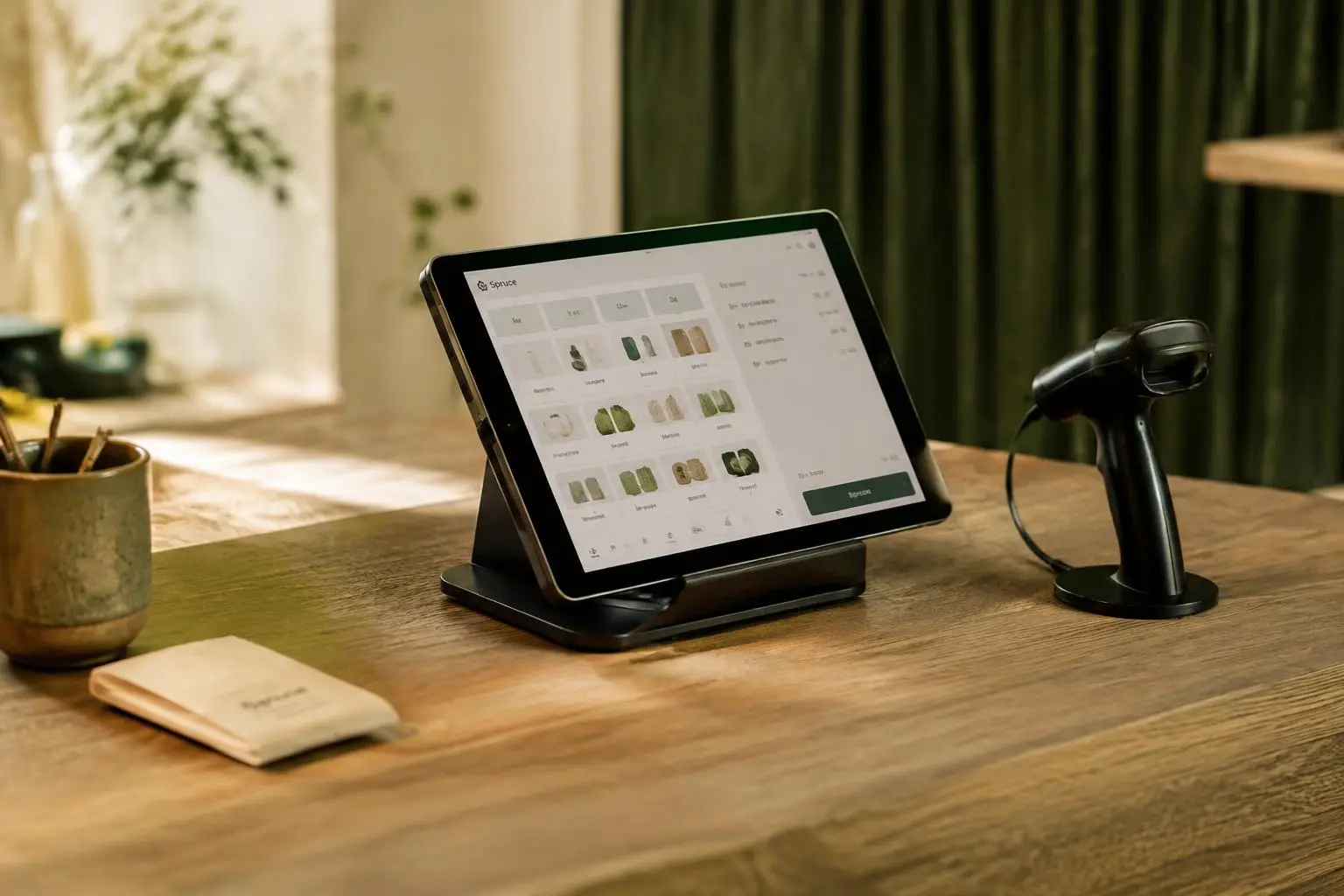
An offline-first POS turns the usual design around. Instead of asking a distant server for everything, each till keeps its own working copy of the data it needs: products, prices, customers and recent sales. Scans and payments are handled on the device itself, so they are fast whether or not the internet is there.
In the background, the till syncs with the cloud. When the connection is good, changes flow both ways within seconds. When it drops, the till keeps a queue of sales and sends them once the line returns. Staff do not need to do anything; often they do not even notice.
The Yoodz Cloud POS is built this way. Each till stores its working data in a small local database, which is why scans complete in around 0.4 seconds and sales continue through outages. When the till reconnects, every queued sale is uploaded and stock is corrected across all locations.
- Fast scans, because nothing waits on the network
- No lost sales during outages
- Automatic sync when the connection returns
- Conflict handling, so two tills selling the last item are resolved correctly
The features checklist for retail and restaurants
Every business is different, but most shops and restaurants need the same core features. Use this checklist when you compare systems, and ask each supplier to show you each item working, not just listed on a brochure.
For retail, the priorities are fast barcode scanning, product variants such as size and colour, stock transfers between branches, low-stock alerts, returns and exchanges, gift cards and loyalty. For restaurants and cafés, add table plans, split bills, modifiers like extra cheese or oat milk, kitchen display screens and tips.
Both types of business benefit from digital receipts. Sending the receipt by WhatsApp or email saves paper, gives the customer a record they will not lose and gives you a way to stay in touch, with their permission.
- Offline mode with automatic sync
- Barcode scanning under one second
- Live stock across all locations and online store
- Staff roles and permissions
- Digital receipts by WhatsApp and email
- Clear daily, weekly and per-product reports
- Works on standard tablets and printers
Inventory sync: one stock count for every channel
Overselling is one of the most frustrating problems for growing retailers. A customer orders online, pays and then receives an apology because the last item was sold in the shop that morning. It damages trust and costs time in refunds.
The fix is one stock count shared by every till and the online store. When something sells anywhere, the number drops everywhere. When a delivery arrives, it is added once and visible to all. Many businesses only achieve this by paying for separate tools and connecting them with plug-ins that break on updates. A POS built together with the website avoids that fragile chain.
Good inventory sync also improves buying. When you can see which products sell in which branch, you can move stock to where it moves fastest instead of ordering more.
Hardware: use what you already have
Some suppliers lock you into their own terminals at high prices. A modern cloud POS should run on standard hardware: an iPad or Android tablet, a common receipt printer, a USB or Bluetooth barcode scanner and a cash drawer. This keeps start-up costs low and makes replacing a broken device a same-day job.
Before you buy anything new, list what you already own and ask your supplier which items will work. In many cases the answer is most of it.
How to compare the true cost of a POS
The monthly price on a website rarely tells the full story. To compare fairly, add up the costs over three years.
Include the software subscription for every till and location, any per-transaction fees charged on top of your card processor, hardware, setup and training, paid add-ons such as loyalty or extra reports and the cost of moving away later if you are unhappy. A system with a slightly higher monthly price but zero transaction fees is often cheaper for a busy shop.
Yoodz charges no per-sale fees on its POS. That choice was deliberate: we believe the business that makes the sale should keep the margin.
- Subscription per till and location
- Per-sale or percentage fees
- Hardware and accessories
- Setup, data import and training
- Paid add-ons
- Cost of switching later
Switching POS without disrupting your business
The fear of switching keeps many owners on systems they dislike. A well-planned move takes days, not months. Start by exporting your products, customers and stock from the old system. Your new supplier should import them for you and check the results with you.
Next, run a short trial in one till or one branch while the old system stays as backup. Train staff on real products, not a demo. Once the team is comfortable, roll out the rest and switch off the old system. Choose a quiet day of the week for the final change.
At Yoodz we usually set up a single shop in about 30 minutes once the product list is ready, and we stay on call for the first busy days.
Questions to ask before you choose
Bring these questions to every demo. The answers will quickly separate systems built for real shops from those built for slide decks.
- Can I keep selling if the internet goes down? Show me.
- How long does one scan take on a normal tablet?
- Is stock shared live between shops and my website?
- Are there any fees per sale?
- Which hardware that I already own will work?
- Who do I call on a Saturday evening?
- Can I export all my data if I leave?
Need help with this?
See how Yoodz handles cloud pos system for growing businesses, or book a free call.
Frequently asked questions
- Does a cloud POS work without internet?
- An offline-first cloud POS does. It keeps selling on the device and syncs every sale once the connection returns. Online-only systems stop working.
- Is a cloud POS safe for my data?
- Data is stored securely online and backed up automatically, so a broken till no longer means lost history. Staff access is controlled by role.
- Which POS is best for a small business?
- The best POS is fast, works offline, has no per-sale fees and runs on hardware you already own. Compare the three-year cost, not only the monthly price.