Website Speed and E-commerce Sales: A Practical Guide to Core Web Vitals
Why a fast website sells more, what Google's Core Web Vitals measure, and practical steps to speed up your online shop and improve SEO and conversions.
By Amanda Matondo · · 7 min read
Key takeaways
- Speed affects both Google rankings and how many visitors buy.
- Core Web Vitals measure loading, responsiveness and visual stability.
- Images, heavy scripts and cheap hosting are the usual causes of slow shops.
- A short, clear checkout matters as much as raw speed.
Why website speed matters for sales
Shoppers are impatient, especially on phones. When a page takes too long to show anything, many visitors press back and choose another result. Those who stay are less likely to browse further or finish checkout.
Research supports this. In the study Milliseconds Make Millions, produced by Deloitte for Google in 2020, a 0.1 second improvement in mobile site speed was linked to an 8.4% increase in retail conversions. The exact gain will differ for every shop, but the direction is clear: faster sites sell more.
Speed also shapes how people feel about your brand. A quick, smooth site feels trustworthy. A slow, jumpy site feels risky, which is the last thing you want on a payment page.
What Core Web Vitals measure
Google uses a set of measurements called Core Web Vitals to judge the real experience of visitors. They are part of how Google evaluates pages, and they are a useful health check for any website.
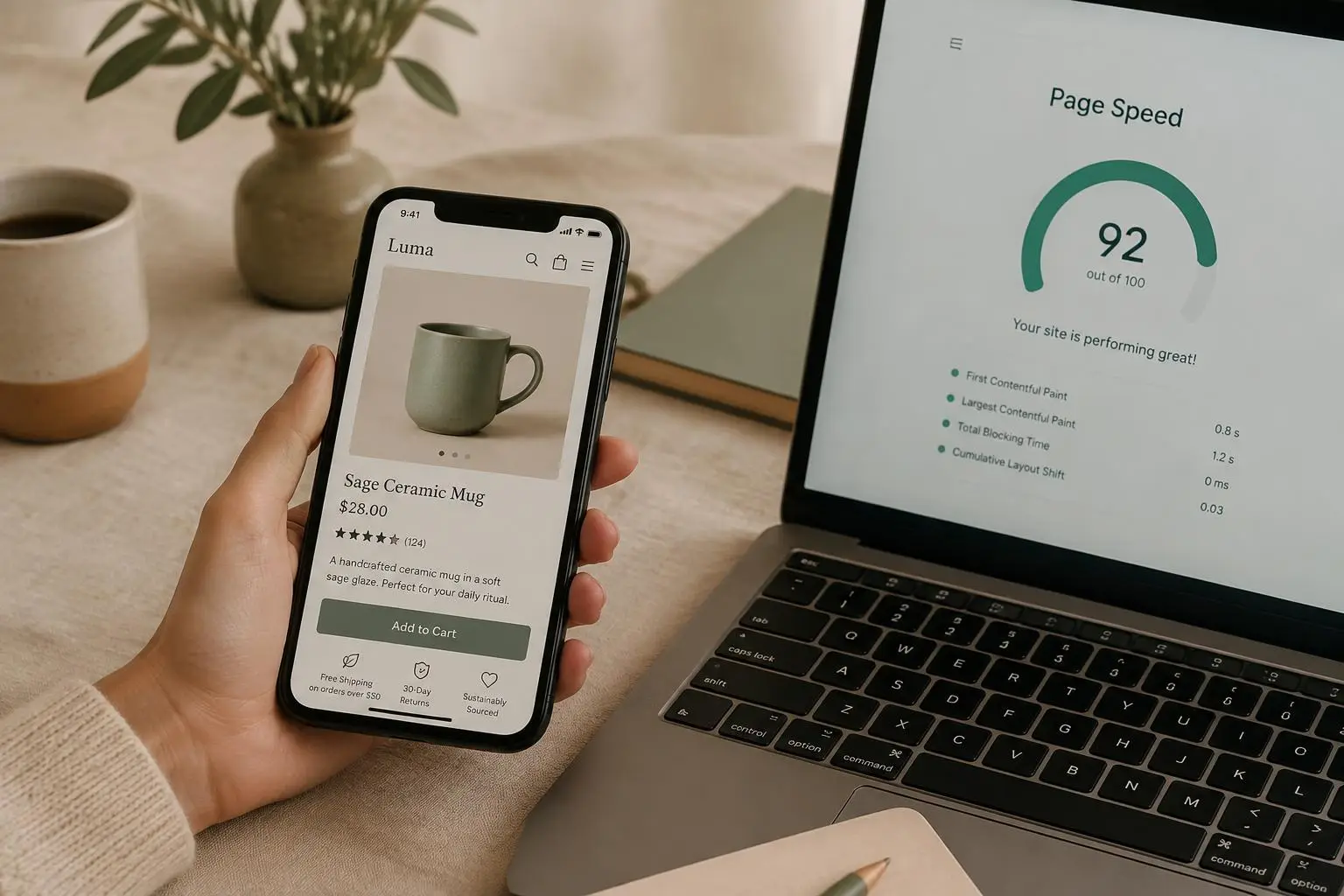
Largest Contentful Paint (LCP) measures how fast the main content appears. Google considers 2.5 seconds or less to be good. Interaction to Next Paint (INP) measures how quickly the page responds when someone taps or clicks; 200 milliseconds or less is good. Cumulative Layout Shift (CLS) measures how much the page jumps around while loading; a score of 0.1 or less is good.
You can check your own site for free with Google PageSpeed Insights or the Core Web Vitals report in Google Search Console. Look at the mobile results first, because that is where most shoppers are.
- LCP: main content visible in 2.5s or less
- INP: response to taps in 200ms or less
- CLS: layout shift score of 0.1 or less
The most common causes of a slow online shop
Most slow websites suffer from the same handful of problems. The good news is that each one can be fixed.
- Oversized images uploaded straight from a camera
- Too many apps and plug-ins, each adding scripts
- Heavy themes built to do everything for everyone
- Cheap shared hosting far from your customers
- Fonts and tracking scripts that block the page
- Pop-ups and sliders that push content around
Fix images first
Images are usually the heaviest part of a shop. A single unoptimised product photo can be larger than the rest of the page combined. Resize photos to the size they are actually shown, save them in a modern format such as WebP or AVIF and load images further down the page only when the visitor scrolls to them.
Always give images a fixed width and height so the browser reserves space for them. This simple step prevents the page from jumping as photos arrive, which directly improves your CLS score. Write a short, honest description in the alt text for every product image; it helps visitors who use screen readers and helps search engines understand the photo.
Cut scripts and plug-ins you do not need
Every chat widget, review badge, tracking pixel and plug-in adds code that the phone has to download and run. Individually each seems harmless. Together they can make a page slow to respond, which hurts INP.
Make a list of everything loaded on your site and ask of each item: does this make us money? Remove what you do not use, delay what is not needed immediately and replace several small tools with one where possible.
Choose a fast foundation
Some speed problems cannot be fixed with tweaks because they come from the way the site is built. Modern websites can be served from a global network close to each visitor, with pages prepared in advance so they appear almost instantly.
A custom-built site lets you include only what you need, without the weight of a theme designed for thousands of different shops. That is how Yoodz websites typically load in around one second and score highly in Google's speed tests.
Speed is only half the story: the checkout
A fast site with a confusing checkout still loses sales. Every extra step, form field or surprise cost gives the shopper a reason to stop. Keep checkout to as few steps as possible, allow guest checkout, show delivery costs early and offer the payment methods your customers already use, such as cards, Apple Pay and Google Pay.
Make buttons large and easy to tap on a phone, and show clear error messages when something is missing. Small details like these often matter more than any design trend.
- Guest checkout without forced sign-up
- Delivery costs shown before the last step
- Wallet payments for one-tap checkout
- Large buttons and clear error messages
Speed, SEO and being found
Google wants to send people to pages that give a good experience. Fast, stable, mobile-friendly pages give you a better chance of ranking, though speed alone will not beat better content. Combine a fast site with clear page titles, useful product descriptions, helpful guides like this one and a logical structure of headings.
Connect your site to Google Search Console. It shows which searches bring visitors, which pages have problems and how your Core Web Vitals change over time.
Keep your shop and website in sync
For businesses with physical stores, the website should share stock and prices with the till. When they are separate, staff update two systems and customers order items that are already sold out. A website built together with your POS removes that double work and gives customers accurate information.
This is one of the main reasons clients come to Yoodz: one team builds the POS and the website so they work as one system from the start.
Design for phones first
For most online shops, the majority of visitors arrive on a phone. Yet many sites are still designed on large desktop screens and squeezed down afterwards. The result is tiny buttons, long menus and product photos that take the whole screen without showing the price.
Start every page with the phone in mind. Put the product name, price, photo and add-to-basket button in the first screen. Keep menus short and searchable. Make filters easy to open and close with a thumb. Test on a real mid-range phone over a normal mobile connection, not only on the fast laptop in your office.
A phone-first site is usually faster everywhere, because it forces you to keep only what matters.
Measure, change, measure again
Speed work is never finished in one go. New products, campaigns and apps slowly add weight. Set a simple routine: test your key pages every month, especially the home page, a category page, a product page and the checkout. Note the scores and the conversion rate in the same sheet so you can see how they move together.
When you add any new tool or feature, test before and after. If a widget slows the page noticeably and does not bring in sales, remove it. This habit protects your speed and your revenue over time.
Also watch real-user data, not only lab tests. The Core Web Vitals report in Search Console is based on visits from real Chrome users, so it shows the experience your customers actually have on their own devices and networks.
- Test four key pages every month
- Record speed scores next to conversion rate
- Test before and after adding any new app
- Follow real-user data in Search Console
Accessible sites sell to everyone
Accessibility and speed go hand in hand. Clear headings, readable text sizes, strong colour contrast and buttons that work with a keyboard or screen reader help people with disabilities shop on your site, and they make the experience easier for every visitor. Search engines also understand well-structured pages better, which supports your SEO.
Your website speed checklist
Use this list for a quick review of any online shop, then retest your speed after each change.
- Test mobile speed in PageSpeed Insights
- Compress and resize every image, use WebP
- Set width and height on images
- Remove unused apps and scripts
- Use fast hosting close to your customers
- Shorten checkout and add wallet payments
- Monitor Core Web Vitals in Search Console
Need help with this?
See how Yoodz handles website development for growing businesses, or book a free call.
Frequently asked questions
- Does website speed affect Google rankings?
- Yes. Page experience, including Core Web Vitals, is one of the signals Google uses. Good content still matters most, but a fast site helps.
- What is a good loading time for an online shop?
- Aim for the main content to appear in under 2.5 seconds on mobile, the threshold Google calls good. Faster is better.
- Can I speed up my site without rebuilding it?
- Often yes: optimise images, remove unused plug-ins and improve hosting. If the theme itself is heavy, a rebuild may be the better long-term choice.